



You won’t believe what WFM can do now
Check it out as some super useful WorkflowMax features could have slipped by unnoticed.
WorkflowMax seems to be bringing out more and more genuinely useful features all the time. Some of the best ones are easy to miss, especially when they quietly appear in the areas you already use every day. You might still be working the same way out of habit — as we all do — without realising there is now a better way sitting right there in your file.
I have done this myself plenty of times: carried on doing something the old way, then had someone show me the new shortcut and thought, “Why didn’t I do this ages ago?” The answer, of course, is that ages ago the feature probably was not there. But now, with new improvements coming through thick and fast, it is worth taking another look.
Here are a few WorkflowMax features that might have slipped past you. They are small, but huge in the difference they make to how quickly you can correct mistakes, find information, and keep an eye on what matters.
1. Moving costs between jobs
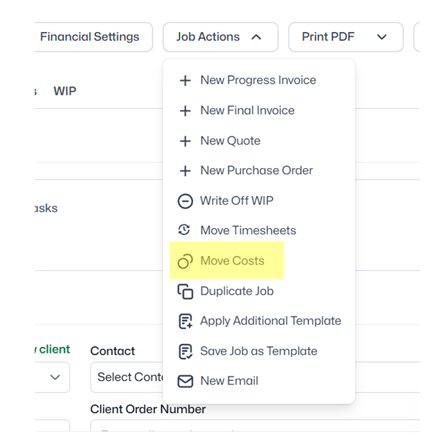
This is one of those features that sounds simple, but can save a lot of frustration. If a cost has been added to the wrong job, WorkflowMax now allows you to move that cost from one job to another instead of deleting it and re-entering it manually.
So many of us have wanted this feature for such a long time – and now here it is!!!! You’ll find it where timesheets get moved.
2. Saving views on reports
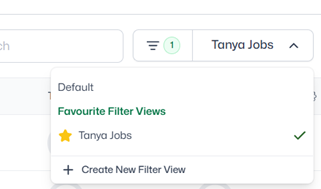
If you regularly filter or adjust reports in the same way, setting up saved views means you do not have to rebuild the same layout every time.
For example, you might want a view that focuses on active jobs, overdue work, uninvoiced costs, or specific job managers. Instead of starting from scratch each time, you can create a view that reflects the way you actually review the business.
You’ll find these filter views wherever you see the Filter sign – Invoices / Purchase Orders / Jobs / Clients, and reports.
3. Dashboard views
Dashboards are most useful when they show the information you want. There is now more flexibility in what you see, and now the column widths can be adjusted.
Check out the Settings Cog on the RHS to choose your columns, and the new column width handle – you’ll see these at the top of a lot of your dashboards now.

Keep checking what has changed
WorkflowMax continues to charge ahead in leaps and bounds. So keep an eye on whats happening. Here are some links:
Major Updates Summary - Quarter 2 2026 - here

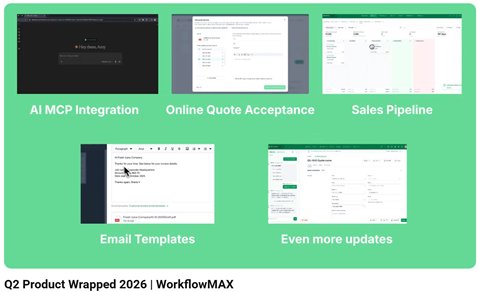
3 minute video on Quarter 2 2026 releases
Short Videos on new features – MaxBites YouTube Playlist